Massive Logs.
Zero-Latency Log Viewer.
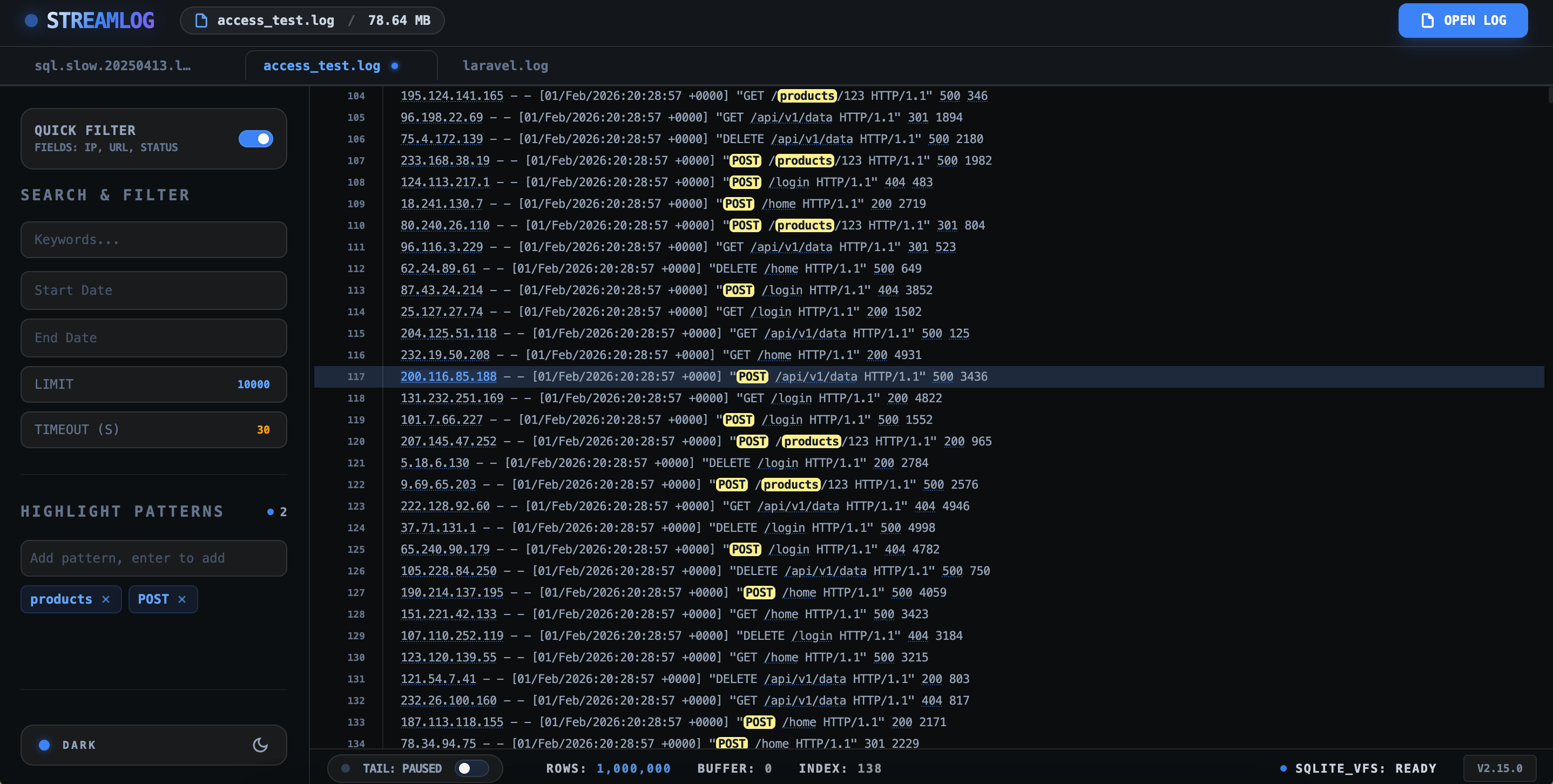
A high-performance log viewer for massive files. Open, search, and analyze multi-gigabyte logs with streamed reading and bounded memory — without uploading a single byte.
10GB+
File Support
0 KB
Upload Required
< 100MB
Stable RAM
∞
Local Privacy
Built for the Toughest Workloads
Traditional viewers crash under pressure. Streamlog thrives, giving you the speed and stability needed for production-grade debugging.
10GB+ Support
Open log files 10GB and larger with streamed reading. Nothing loads fully into memory — just fast, bounded, and stable browsing through extreme data volumes.
Safe Search
Keyword search across massive files with a configurable time budget, so the UI never locks up. You get partial results instead of all-or-nothing blocking, and you can cancel anytime.
Privacy First
Your logs are processed entirely in your browser and never uploaded. No servers, no accounts, no analytics — your data stays on your disk.
Time-range Filtering
Filter logs by timestamp with built-in parsing for the standard Nginx and Apache combined format ([02/Feb/2026:14:04:00 +0000]). Isolate a five-minute incident window inside a 10GB file without loading a single extra byte.
Every log format, zero setup
Streamlog reads plain-text logs exactly as they are — no parsing config, no import steps, no preprocessing. If it's a text file, it works.
Production debugging
Trace errors across multi-gigabyte application logs without freezing your browser — and without uploading a single byte of sensitive production data.
Nginx & Apache analysis
Open access logs of any size, search by status code or client IP, and jump straight to the requests surrounding a slow or failing one.
Container & CI logs
Scroll through Docker, Kubernetes, and CI build logs with stable memory — even when a single output file runs into tens of gigabytes.
Incident response
Find the exact line behind a crash in seconds with time-budgeted search and instant context — not after minutes of waiting on a frozen viewer.
Go deeper: how we work with large log files
Never lose your context.
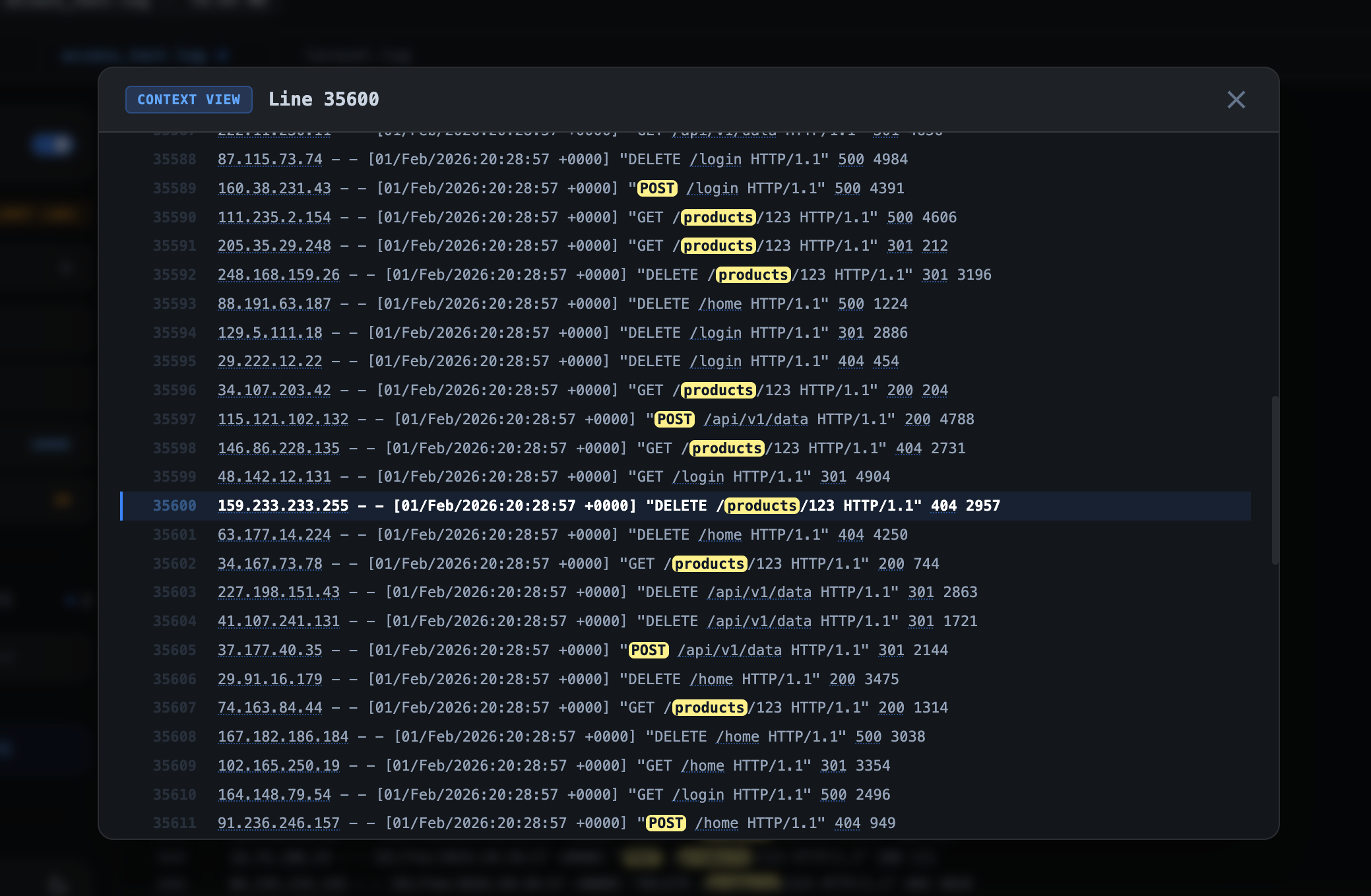
In massive log files, finding a single line is only half the battle. Streamlog allows you to instantly see the events surrounding any search result, giving you the full story behind every error or event.
- Infinite scroll through surrounding lines
- Zero-latency context jumping
- Preserve visual location while searching
"Logs should be explored, not fought. We built Streamlog to make large logs boring again."
Devspera Team
Engineering
Frequently asked questions
Everything you need to know about viewing huge log files with Streamlog.
How does Streamlog open a 10GB log file without freezing?
Streamlog uses streamed reading: it reads the file in bounded chunks instead of loading everything into memory. A 10GB or larger file stays responsive because only the visible region is rendered, keeping RAM stable at under 100MB even while you scroll and search.
Are my log files uploaded to any server?
No. Streamlog is 100% local-first — your logs are processed entirely in your browser and never leave your disk. There are no servers, no accounts, and no analytics, so sensitive production logs stay completely private.
What log formats does Streamlog support?
Streamlog is built for plain-text, line-based logs: .log and .txt files, Nginx and Apache access logs, syslog, Docker and Kubernetes container logs, Node.js, Python, Ruby and Go backend output, CI build logs, and crash reports. Time-range filtering is tuned for standard Nginx and Apache access-log timestamps. JSON files open as raw text lines — structured JSON parsing and pretty-printing are not supported yet.
Is Streamlog free to use?
Yes. Streamlog is free, requires no account, and needs no installation — it runs directly in your browser. Just open your log file and start exploring.
How fast is search on a huge log file?
Search runs with a configurable time budget. Instead of blocking the UI until a full scan finishes, Streamlog returns partial results as it finds them and lets you cancel anytime — so you never stare at a frozen tab.
Which browsers and operating systems does Streamlog support?
Any modern desktop browser — Chrome, Edge, Firefox, and Safari — on macOS, Windows, and Linux. There is nothing to install.
Ready to tame your logs?
Experience peak performance log analysis. No installation needed, runs directly in your browser.
Get started for free