Type naturally.
We'll remind you.
Nexto reads dates and times from your words. No date pickers, no taps, no friction. Just type and go.
Thoughtful by design
Every feature built around one idea: get tasks out of your head with zero effort.
Smart Time Detection
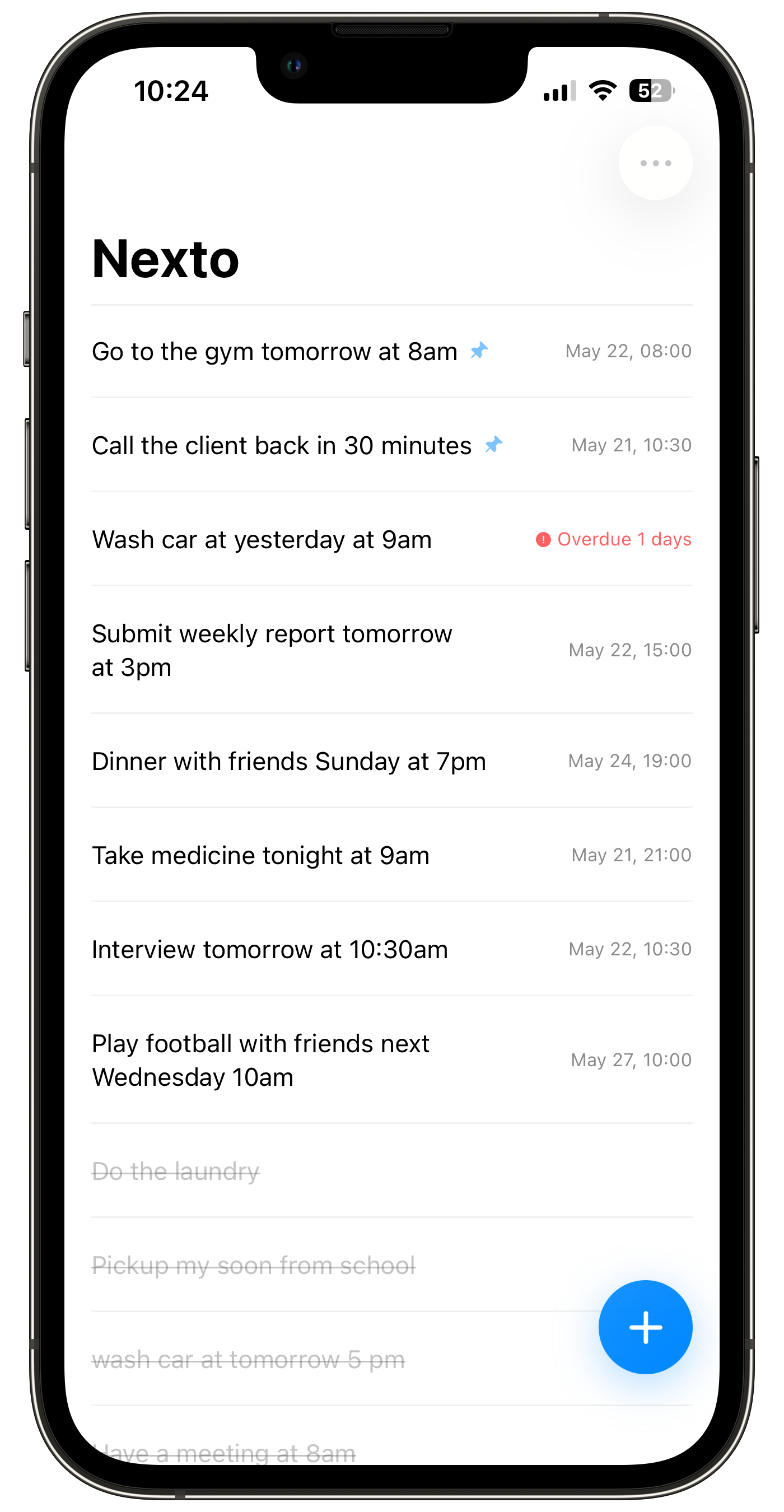
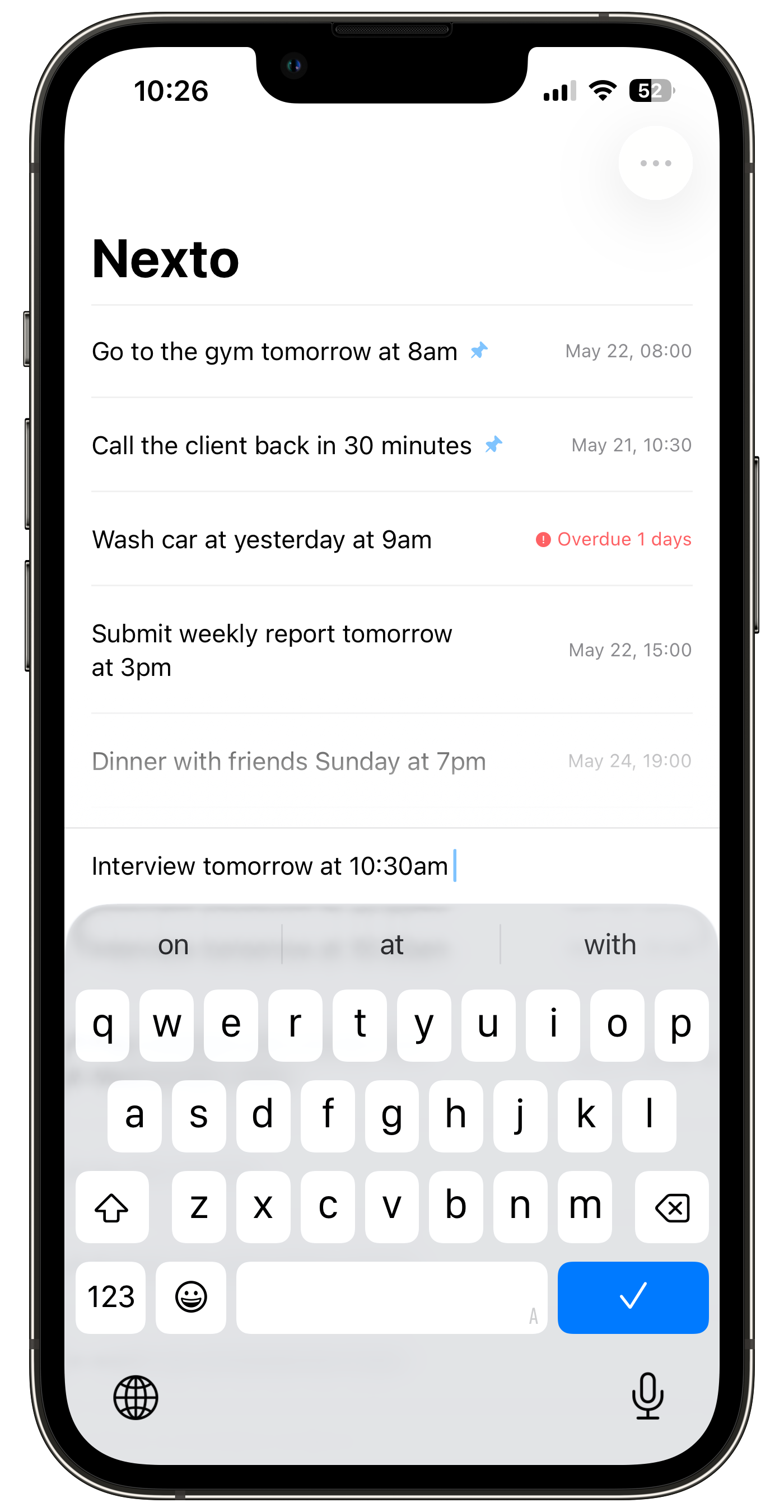
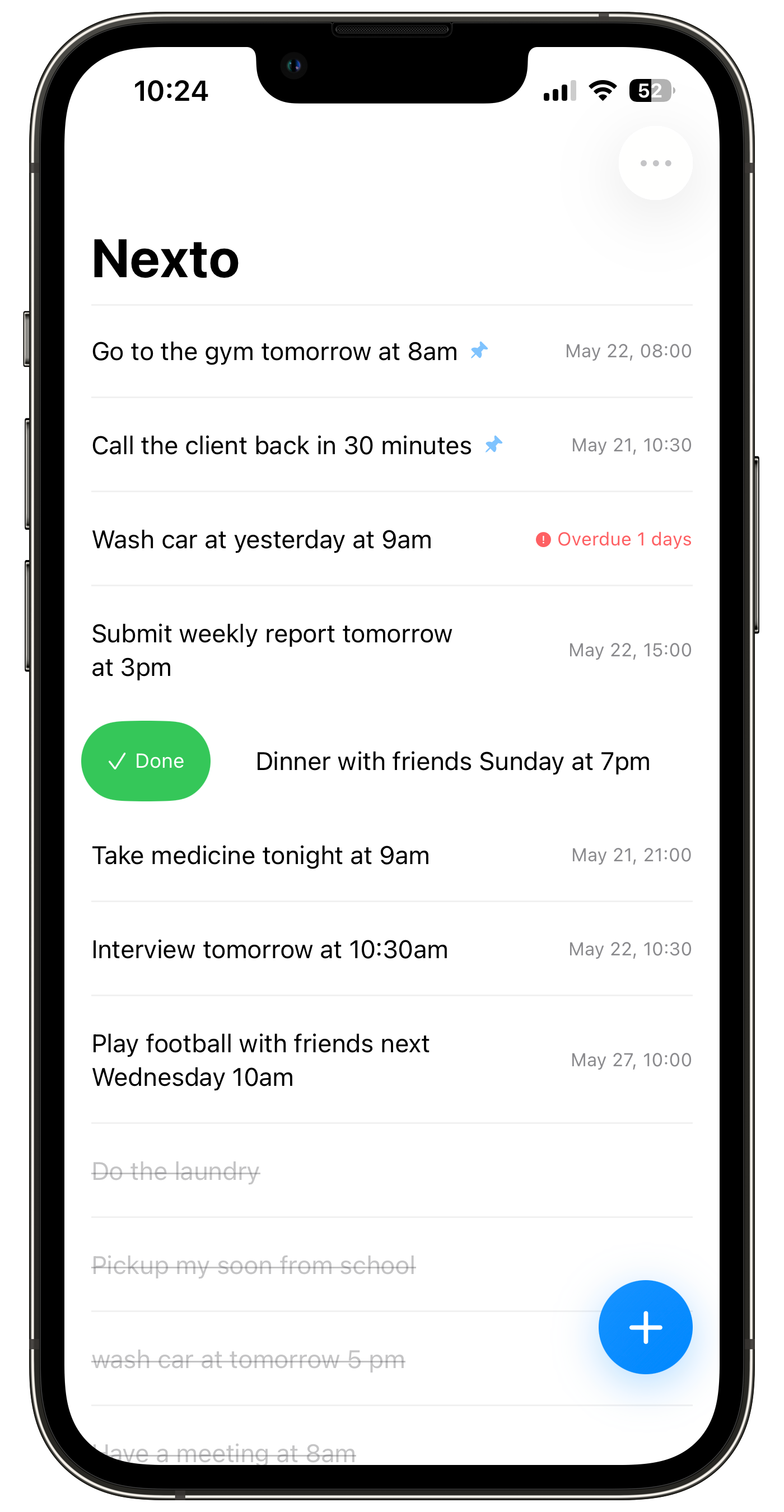
Type "Submit report tomorrow at 3pm" and Nexto automatically sets the reminder. No need to tap through date pickers — it just works.
- Supports "tomorrow", "next Monday", "in 3 days"
- Natural language parsing — no rigid format needed
- Auto-corrects relative dates as time passes
Pin & Drag to Reorder
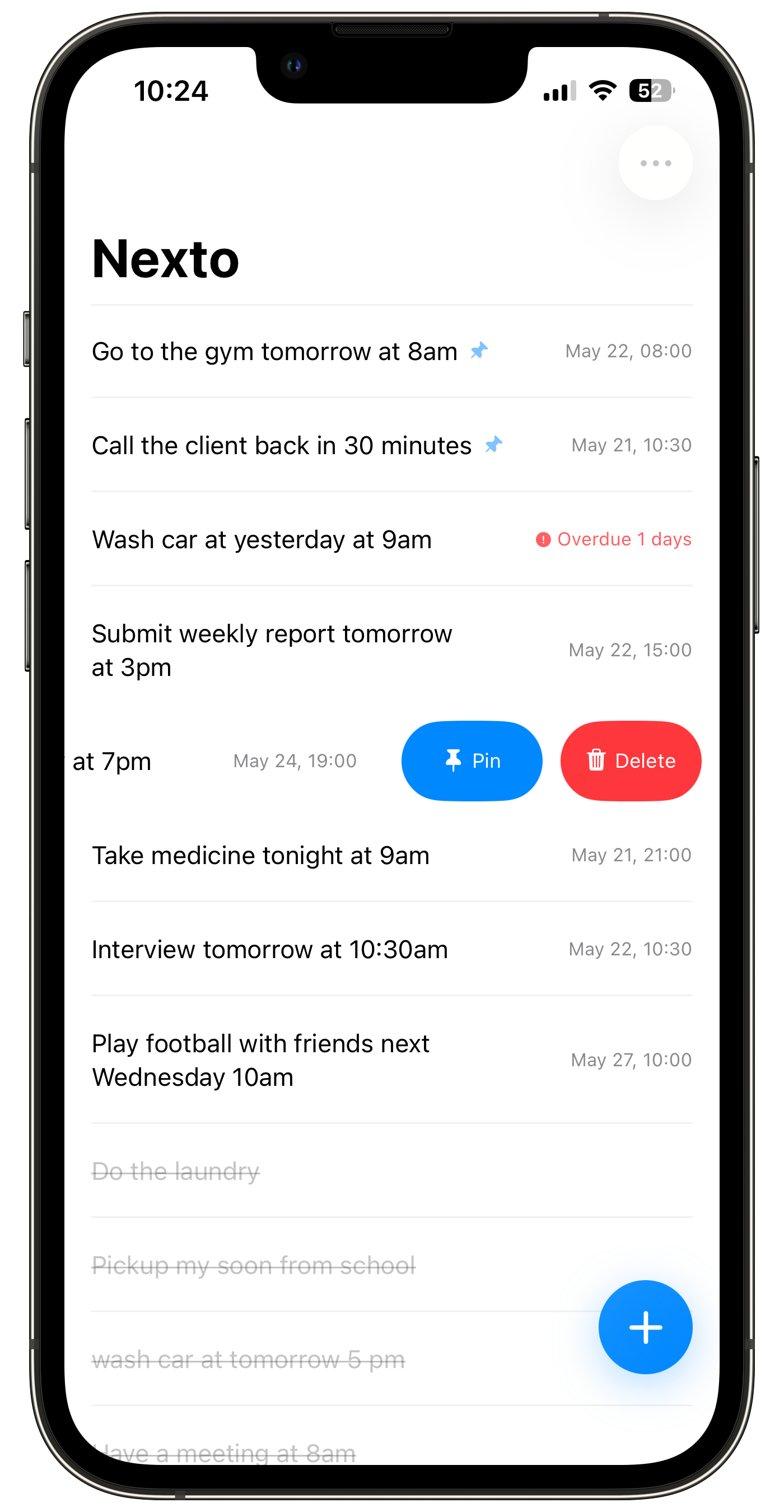
Pin your most important tasks so they always stay at the top. Long-press and drag to rearrange — your list, your order.
- Pin important tasks to the top of your list
- Drag to reorder — intuitive and responsive
- Completed tasks stay neatly organized below
100% Local. 100% Yours.
Every task, every reminder stays on your device. No accounts, no cloud sync, no data collection. Your to-do list is nobody's business but yours.
- No account required. Just download and go.
- Zero ads, zero tracking, zero data collection
- Works fully offline. No internet needed.
Everything at a glance
Nine features, zero complexity.
Smart Time Detection
Type naturally. Nexto parses dates and times automatically.
One-Step Creation
Type and create. The fastest way to capture a thought.
Auto-Correcting Time
Relative dates update dynamically as days pass.
Pin Tasks
Pin important tasks to keep them at the top.
100% Local & Private
All data stays on your device. No account needed.
Theme System
Multiple themes with auto dark mode support.
Drag to Reorder
Long-press and drag to rearrange your list.
Interaction Modes
Standard and light-tap mode for your preference.
Minimalist Design
No ads, no distractions. Pure focus on your tasks.
Frequently Asked Questions
Everything you might be wondering about Nexto before you download it.
What is a natural language todo app?
A natural language todo app lets you type a task the way you'd say it out loud — "buy groceries saturday morning" — and it figures out the date, time, and reminder for you. No date pickers, no dropdowns, no multiple taps. Just type and go.
How does Nexto's smart time detection work?
Nexto parses dates and times from plain English. Type "submit report tomorrow at 3pm" or "remind me next Monday at 9am" and the reminder is set automatically. It understands relative dates like "in 3 days" and keeps correcting them as time passes.
How is Nexto different from Apple Reminders?
Apple Reminders is great, but adding a task with a date and time means tapping through several menus. Nexto's whole point is removing that friction: open it, type a sentence, done. If you want the fastest possible capture, Nexto gets there in about five seconds flat.
Is Nexto really free?
Yes. Nexto is completely free with no subscriptions and no paid "Pro" tier. No ads, no upsells, no dark patterns. Every feature is included.
Does Nexto need an account? Is my data private?
No account, no sign-up, no cloud sync. Your tasks are stored locally on your device and never leave it. There's no tracking and no analytics watching what you type.
Which iPhones does Nexto support?
Nexto requires iOS 17 or later. If your iPhone is running iOS 17+, you're good to go.